
Choosing the best Home Connectors in 2026 means looking beyond a product’s feature list. A connector might link a phone app to a lamp, bridge older devices to a newer hub, or help different smart-home systems communicate. The right choice depends on what you already own and what you want to add. A sleek hub is less useful if it cannot reach the sensor in your hallway.
Compatibility deserves close attention. Check support for standards such as Matter, Thread, Zigbee, and Wi-Fi, but confirm that each device works with the connector’s specific app and ecosystem. Standards can make setup easier; they do not guarantee that every feature will work everywhere. Also consider connection range, setup steps, firmware updates, local operation, and the manufacturer’s privacy information. These details matter when a door sensor misses a signal or a light takes several seconds to respond.
Small details count.
This guide compares Home Connectors by practical fit, not headline claims alone. It considers installation, device support, reliability, and the effort needed to keep a system running. A connector can look simple on a product page, then become the device everyone blames when a routine fails. That is not always fair; weak Wi-Fi, outdated firmware, or an incompatible accessory may be the real cause. There is no universal winner. The best option is the one that fits your home, works with your equipment, and remains manageable after the initial setup.
What Are the Best Home Connectors in 2026?
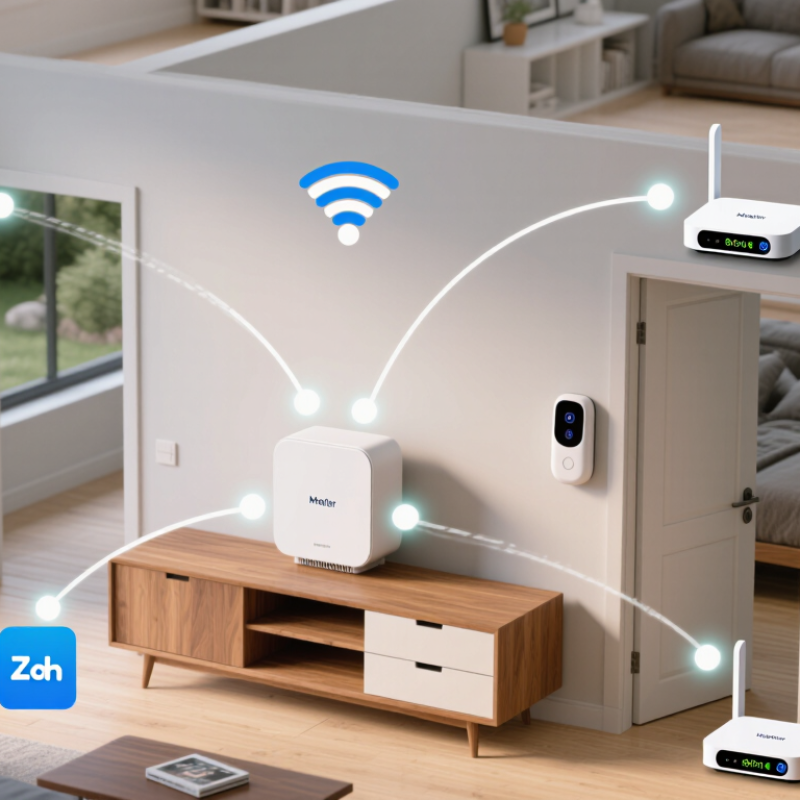
Home connectors are not all the same. A hub coordinates devices in a home, often managing routines and translating between supported wireless protocols. Picture a hallway light responding to a motion sensor, even when internet service briefly drops. That depends on the hub’s capabilities and setup.
A bridge has a narrower role: it links one device network or protocol to another. It may connect compatible lights or sensors to a wider control system, but it does not automatically unlock every feature. Smart-home standards define shared rules for discovering devices and exchanging commands. Matching standards can simplify setup. Yet versions and optional features still matter. Compatibility is not magic.
Before choosing a connector, check your existing devices, their protocols, and whether essential functions work locally. Placement matters, too: a hub inside a metal cabinet may struggle to reach a sensor upstairs. Keep software updated and review privacy settings before enabling remote access. Small tests help. Pair one device, then try the routine with Wi-Fi disabled if local control matters to you. This can be fiddly, and setup instructions are sometimes vague. A careful compatibility check can prevent buying a connector that solves the wrong problem.
Matter, Wi-Fi, Thread, and Zigbee solve different parts of home connectivity. Matter is a shared communication standard, not a radio signal. It can run over Wi-Fi, Thread, or Ethernet, helping compatible devices work across different systems. Still, Matter support does not guarantee every feature will be available in every setup.
Wi-Fi suits devices that need steady bandwidth, such as cameras, but many connected devices can crowd a busy network. Thread uses a low-power mesh, so small sensors can relay messages without relying on Wi-Fi. It usually needs a Thread border router. Zigbee also forms a low-power mesh and has a long track record, but devices often need a compatible hub. Check the exact device features and required hubs before buying. Labels can be confusing.
Tips: Map your home’s weak-signal spots, then check which protocols your existing hub supports. Test one sensor before outfitting every room. A mixed setup may be practical, though it can take more troubleshooting. I’ve found that compatibility charts rarely show every small limitation.
| Comparison | Matter | Wi-Fi | Thread | Zigbee |
|---|---|---|---|---|
| What it is | A smart-home application standard that defines how compatible devices communicate and work together. | A family of wireless networking technologies commonly used to connect devices to a home network. | A low-power, IPv6-based wireless mesh networking protocol for connected devices. | A low-power wireless mesh networking protocol commonly used by sensors, lights, and switches. |
| How devices connect | Runs over Wi-Fi or Ethernet, or over Thread. Bluetooth Low Energy may be used during setup, but is not the normal operating network. | Devices connect through a wireless access point or router. Supported frequency bands vary by device. | Devices form a self-healing mesh using IEEE 802.15.4 radio, generally in the 2.4 GHz band. | Devices form a mesh using IEEE 802.15.4 radio, most commonly at 2.4 GHz; regional sub-GHz options also exist. |
| What is needed | A Matter controller is needed to manage devices. Thread-based Matter devices also need a Thread border router. | Usually an existing router or access point; a separate smart-home hub is not inherently required. | A Thread border router is needed to connect the Thread network to other IP networks. It can be built into another compatible device. | A Zigbee coordinator or hub is needed to create and manage the Zigbee network. |
| Device compatibility | Compatible devices from different ecosystems can interoperate when they support the same Matter device type and required features. Matter does not make every device compatible. | Wi-Fi alone does not guarantee smart-home interoperability. Devices may require compatible software, services, or a supported integration. | Thread support alone does not define smart-home features. Devices need a compatible application layer, such as Matter over Thread, to share a common device model. | Zigbee devices may use different profiles or feature implementations. Compatibility with a particular coordinator or hub should be checked. |
| Can connect to other standards? | Can operate over Wi-Fi or Thread. A compatible bridge can expose supported non-Matter devices to a Matter system. | Can carry Matter traffic when a device supports Matter over Wi-Fi. Other Wi-Fi devices are not automatically Matter-compatible. | Can carry Matter traffic when a device supports Matter over Thread. A Thread border router does not by itself translate other protocols. | A compatible bridge can expose supported Zigbee devices to Matter or another system; this requires an actual bridge, not just a shared radio. |
| Typical strengths | Designed for cross-ecosystem device control, local communication, and a shared compatibility standard. | Widely available network infrastructure and useful bandwidth for devices that need more data or frequent direct connectivity. | Low-power operation, mesh routing, and IP-based networking suited to small, battery-powered devices. | Low-power mesh networking and a long history of use in sensors, lighting, and other smart-home devices. |
| Common limitations | Support varies by device type and feature. Some devices still rely on a manufacturer’s service or app for functions beyond Matter. | Many connected devices can add load to a home network; some products depend on internet services or use only specific Wi-Fi bands. | Requires Thread-capable devices and a border router. Thread compatibility alone does not ensure compatibility with a particular smart-home system. | Typically requires a coordinator and may involve hub-specific compatibility; it is not directly interchangeable with Thread or Wi-Fi. |
| Best suited for | People choosing new devices and prioritizing cross-platform compatibility, provided the exact device features meet their needs. | Devices that benefit from existing network access, higher data capacity, or a direct connection to the home router. | Low-power devices where a responsive mesh and IP-based connectivity are desirable, especially with Matter over Thread support. | Existing Zigbee homes or installations with a compatible coordinator and a verified selection of devices. |
When comparing home connectors in 2026, Thread mesh capacity is a useful place to start. The Thread Group describes networks that can support up to 250 devices. Treat that figure as a stated upper capacity, not a promise that every home will run 250 devices smoothly. A connector’s real performance depends on its Thread implementation, network layout, and the amount of traffic moving through the mesh.
Count more than obvious devices. A thermostat, door sensor, smart plug, and lighting control may each add a node, even when they use little power. Place a connector near the center of the home, then consider walls, floors, and distance to the farthest device. A concrete test: check whether a sensor in a closed garage still reports reliably. Capacity matters. Coverage matters too.
For a practical comparison, ask whether the connector supports your expected device count with room to grow. Also check how it handles setup, updates, and recovery after a power cut. These details can matter more than a headline number. I would be cautious about choosing solely by maximum capacity; it is an impressive ceiling, but a slightly imperfect guide to daily reliability. A smaller, well-placed mesh may feel faster and more dependable than a crowded one.
Wi-Fi 7’s headline figure is up to 46 Gbit/s theoretical, according to the IEEE 802.11be standard. That is a standards-level ceiling, not the speed a phone or laptop should expect. It assumes highly favorable conditions, including wide 320 MHz channels and advanced multi-stream equipment. Most homes will see lower rates. Walls matter.
For a home connector, such as a router or access point, the useful question is stable room-to-room performance. A 6 GHz link may be fast nearby, yet weaken behind brick or concrete. Older devices cannot use every Wi-Fi 7 feature, and neighboring networks can reduce available airtime. Multi-Link Operation can combine compatible links, but both devices must support it. I would compare measured throughput, latency, and coverage—not the headline number alone. Test conditions vary, and that detail is easy to overlook.
Tips: Place the access point in an open, central spot, not inside a cabinet. Check that your device supports Wi-Fi 7 and the bands you plan to use. Test beside the access point and in the farthest room, at different times. A wired backhaul can help mesh nodes, though it will not fix a weak device radio.
The best home connector is not automatically the fastest or cheapest. Match its security, coverage, compatibility, and total cost to your home. The 2024 Data Breach Investigations Report found that 68% of breaches involved a human element. Protect the connector with a unique administrator password, automatic updates, and multi-factor authentication when available. Check whether the maker publishes a clear update policy; a low purchase price means little if support ends quickly.
Coverage depends on walls, distance, and interference. Test the signal in the room where a camera or sensor will sit, not beside the router. For larger homes, compare mesh systems or compatible bridges, then check whether they support your devices’ protocols. Matter support can simplify setup across ecosystems, but it does not guarantee that every feature works with every device. Confirm compatibility before buying. A missed detail here can mean returning equipment.
Tips: Add the connector’s price, required subscriptions, and likely replacement costs. Test it at the farthest outlet. Walls matter. A speed test helps, but it cannot reveal every dead spot or drop in reliability.
Join our mailing list to receive the latest news and updates from our team.