
A 4x4 Hdmi Matrix Switcher sends four HDMI sources to four displays, independently and in real time. In a control room, that can mean routing a laptop to the front-wall screen while a camera feed stays on a confidence monitor. The hardware sounds simple. The details are not: resolution support, HDCP handling, EDID behavior, audio extraction, switching speed, and control integration all shape the result.
Demand for capable audiovisual systems is growing alongside the wider professional AV market. AVIXA’s 2024 Industry Outlook and Trends Analysis estimated global pro-AV revenue at $325 billion in 2023 and projected $402 billion by 2028. These figures cover the broader industry, not matrix switchers alone. They still offer useful context for buyers comparing manufacturers. AVIXA President and CEO David Labuskes has emphasized the value of AV in helping people communicate and collaborate; paraphrased for this topic, reliable signal routing matters because it supports the experience, not just the equipment.
Small distinctions matter. A datasheet may list 4K support, but buyers should check refresh rates, chroma formats, and HDCP versions against their actual sources and displays. A system that works on a test bench may behave differently after long cable runs or control-system integration. This guide introduces ten China-based 4x4 HDMI matrix switcher manufacturers and considers product capability, customization, quality controls, and support. No ranking can replace a project-specific evaluation. Ask for current specifications, compatibility evidence, and a realistic demonstration before committing.
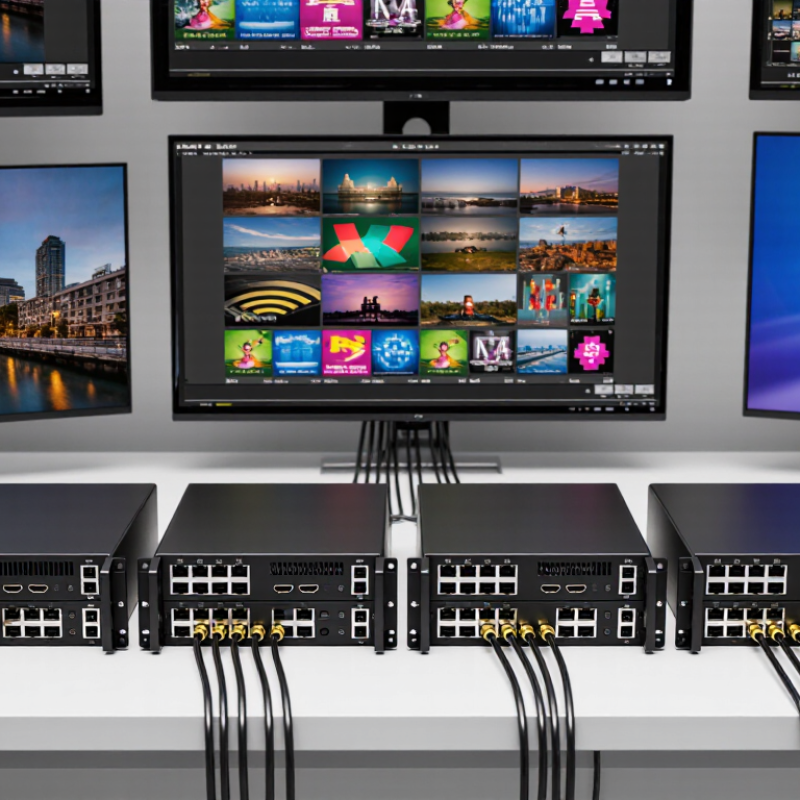
A 4×4 HDMI matrix switcher has four source inputs and four display outputs. Each output can be routed to any input, independently. For example, a laptop can feed two room displays while a media player serves the other two. That is different from a splitter, which sends one source to multiple screens. Four by four describes routing capacity, not guaranteed image quality or compatibility.
Bandwidth and signal handling matter. HDMI Forum’s HDMI 2.1 specification allows up to 48 Gbps, but a matrix only supports that rate if its own specifications confirm it. Check resolution, refresh rate, HDR, HDCP, and EDID behavior before installation. AVIXA’s 2024 Industry Outlook and Trends Analysis projected global professional audiovisual revenue to reach about $325 billion by 2029. That broader market figure signals growing AV deployment, not demand for any specific matrix model. In practice, a wiring diagram can look perfect and still hide a weak link: a long cable, mismatched display settings, or a source that renegotiates EDID unexpectedly. Small details matter. Test each route with the actual displays and cables.
China Top 10 4x4 HDMI Matrix Switcher Manufacturers
HDMI 2.0 supports a maximum data rate of 18 Gbit/s, according to the HDMI Licensing Administrator’s HDMI 2.0 overview. The specification also enables 4K video at 50 or 60 frames per second. That headline number matters when comparing 4x4 matrix switchers, but it does not guarantee every signal format will pass unchanged. Resolution, refresh rate, color depth, and chroma sampling all use bandwidth. A crowded control room may reveal limits that a simple product table misses.
For a practical check, connect four 4K sources and test all four outputs at once. Try a long cable run, switch inputs repeatedly, and verify that audio remains synchronized. CTA-861-G provides industry guidance for digital television video formats and related signaling. I would not treat a neat spec sheet as proof; real installations can expose compatibility gaps. Small details matter.
Tips: Confirm that each input and output supports the exact format your displays use. Check HDCP compatibility and test your intended cable length before installation. Keep the source resolution consistent during testing. Short tests can miss intermittent dropouts.
In a 4x4 HDMI matrix, EDID is not a minor setup detail. It tells each source what display capabilities to expect, including resolution, refresh rate, and audio formats. A mismatch can leave one screen blank while another works. Check whether a unit offers fixed EDID profiles, display-based reading, and reliable copying from a connected screen. These options help installers diagnose a stubborn laptop or mixed display wall. Worth testing.
HDCP 2.2 support matters when protected 4K content travels through the system. The matrix should manage authentication across four outputs without repeated blackouts or handshake delays. Ask manufacturers how the unit behaves when displays have different HDCP capabilities. A specification sheet alone may not reveal awkward cases. Test the actual source and displays when possible.
Audio routing deserves equal attention. Some installations need embedded HDMI audio; others need extraction to an amplifier or separate speakers. Confirm support for the formats your room uses, plus independent output control and dependable lip-sync. Listen during switching, not just playback. A tiny audio drop can annoy users more than a modest delay. Better manufacturers document these limits clearly, though manuals can still miss real-world quirks. Not on paper. Compare control options, firmware support, and recovery behavior alongside image quality. That is less glamorous, but useful.
A useful comparison of China-based 4x4 HDMI matrix manufacturers goes beyond price and advertised features. Check whether each model supports the resolutions, refresh rates, and audio formats your installation needs. Ask how it handles EDID settings, HDCP compatibility, and switching between sources. These details can prevent blank screens or unexpected audio changes in a real control room. That matters.
Technical support is just as important as the product sheet. Ask who answers setup questions, what information they need to diagnose a fault, and whether they provide clear wiring diagrams. A practical test is to send a specific question about a source device and display combination. Notice whether the reply addresses your setup or repeats general sales language. Fast replies help. Detailed replies help more.
Request a sample unit or a documented test report when the project warrants it. Compare build quality, port labeling, control options, and the clarity of the manual. Also confirm firmware update procedures and warranty response expectations in writing. A polished catalog is not proof of dependable support. Some answers may remain vague; record those gaps instead of assuming they will disappear after purchase. Keep the comparison tied to your actual installation, not just a feature checklist.
Suggested evaluation weights for comparing product capabilities and technical support. These are a buyer’s proposed scoring priorities, not measured results for specific manufacturers.
China’s top 10 4×4 HDMI matrix switcher manufacturers serve meeting rooms, classrooms, control centers, and hospitality projects. Their core capability is routing any of four HDMI sources to any of four displays, independently or as a shared signal. The practical differences appear in signal stability, control options, and support for changing display formats.
More capable manufacturers offer features such as EDID management, HDCP compatibility, front-panel buttons, remote control, and RS-232 or network commands. Some models support 4K at 60 Hz, but buyers should verify color depth, chroma sampling, cable distance, and compatibility together. A specification sheet can look complete while a long cable run still causes flicker. Test it live.
Manufacturing strength also depends on quality checks, firmware updates, documentation, and responsive engineering support. Ask for a sample unit and test switching between a laptop, media player, and several displays. Check whether audio follows the selected image and whether the system recovers after a source is unplugged. Details matter. Some suppliers provide strong hardware but less polished setup guides, so installation feedback deserves attention. Compare real operating conditions, not just headline resolution.
This brand-neutral table summarizes ten capability areas to assess when comparing 4×4 HDMI matrix switchers. Features and limits vary by model; confirm specifications in the product datasheet. No manufacturer ranking is implied.
| No. | Capability Area | What It Means | What to Verify in the Product Specification |
|---|---|---|---|
| 01 | 4×4 Signal Routing | Four HDMI sources can be routed to four displays, with output assignments depending on the unit’s supported routing modes. | Whether outputs can select inputs independently, and whether one input can be sent to multiple outputs simultaneously. |
| 02 | HDMI Version and Bandwidth | Supported resolutions and refresh rates depend on the HDMI interface and the matrix’s available signal bandwidth. | HDMI version, maximum data rate, supported chroma formats, bit depth, and the conditions required for maximum performance. |
| 03 | Resolution Support | Products may support different video formats, including HD and 4K formats; support is model-specific. | Exact resolution and refresh-rate combinations, such as 4K at 60 Hz, rather than resolution alone. |
| 04 | HDCP Compatibility | HDCP support affects compatibility with protected content and connected source and display devices. | Supported HDCP versions and any limitations when devices with different HDCP capabilities are connected. |
| 05 | EDID Management | EDID handling helps HDMI sources determine the display capabilities to use when generating a video signal. | Available EDID modes, such as copying a display’s EDID or using preset profiles, and how EDID is assigned to inputs. |
| 06 | Audio Handling | Audio formats and audio-routing options vary by model and by the capabilities of the connected equipment. | Supported audio formats, audio extraction or de-embedding options, and whether audio can be routed separately from video. |
| 07 | Control Interfaces | Matrix switchers may provide local controls and one or more interfaces for external system control. | Front-panel controls, infrared, RS-232, Ethernet, supported command protocol, and any documented API or integration method. |
| 08 | Switching and Presets | Some models offer saved routing configurations or automated switching functions; available options differ. | Preset capacity, switching behavior, transition characteristics, and whether switching can be triggered by external control. |
| 09 | Signal Extension | Some systems support transmission over additional links or use extension equipment; distance depends on the complete signal path. | Supported transmission method, compatible receivers, cable requirements, and the manufacturer’s stated distance conditions. |
| 10 | Installation and Support | Deployment suitability depends on practical details beyond video routing, including power, mounting, documentation, and service. | Rack-mount provisions, power-supply details, operating environment, warranty terms, technical documentation, and available support. |
Join our mailing list to receive the latest news and updates from our team.