
What Is a Universal TV Board and How to Choose One?
A television that suddenly loses its picture or sound may have a failed mainboard, power board, or display component. Replacing the entire set is not always necessary. In some cases, a compatible replacement board can restore basic functions. A Universal Board Tv is a general-purpose television control board designed to work with certain screen types and hardware configurations. It is not a guaranteed fit for every television.
That detail matters. A board may share the right connector but still use different firmware, panel timing, or voltage requirements. Before choosing one, check the TV’s model number, panel code, original board number, screen size, resolution, and connector layout. Clear photos of the old board and its labels can help with comparison. Small details count.
This guide explains what universal TV boards do, which parts they may replace, and how to evaluate compatibility. It also covers practical checks, such as confirming supported panel specifications and asking the seller for a written compatibility list. A low price can be tempting, but a mismatch may leave the screen blank or cause unstable operation. Not every listing provides enough evidence. That can be frustrating.
For a reliable decision, compare manufacturer documentation where available and consult a qualified repair technician if board-level work is unfamiliar. Television internals can retain hazardous electrical energy, even after unplugging. The goal is not simply to find a board that looks similar. It is to identify one that matches the television’s electrical and display requirements, then verify that choice before installation. A little uncertainty is normal; ignoring it is not.
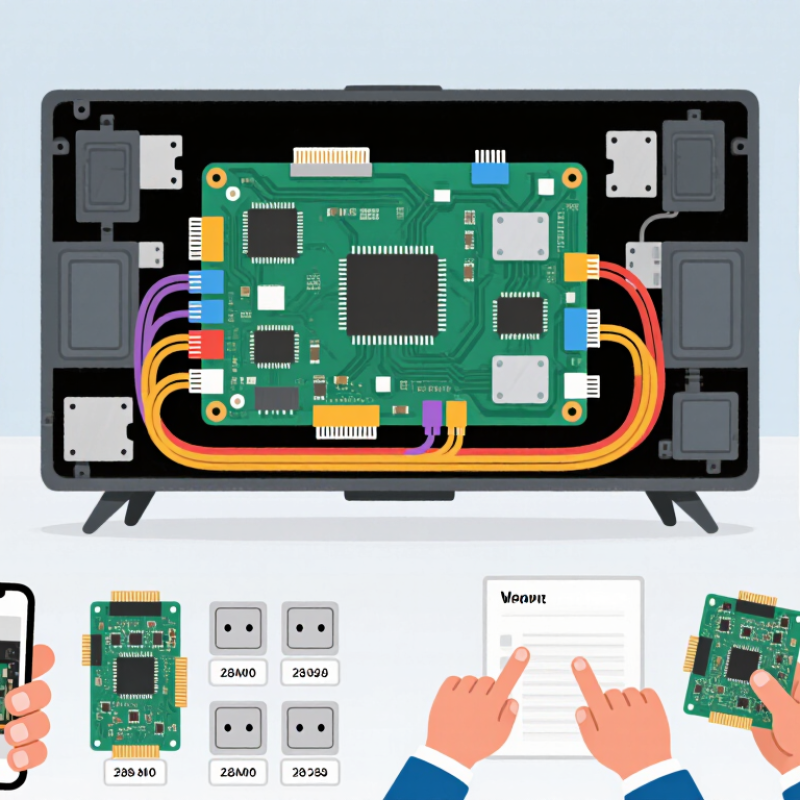
What a Universal TV Board Is and What It Does
A universal TV board is a replacement control board designed to work with more than one television configuration. It acts as the set’s central signal processor. Incoming signals from HDMI ports, the tuner, or other inputs pass through it and are converted into instructions for the display and speakers. It may also manage menus, remote-control commands, and backlight settings. In short, it helps the television interpret a signal and show an image. The word “universal” can be misleading. A board is not automatically compatible with every screen.
Compatibility depends on details that are easy to overlook. The panel’s resolution, connector layout, voltage requirements, and control timing must match the board. For example, two screens may use similar-looking ribbon cables but require different pin assignments. Check the TV’s model label, the panel code printed on the screen, and the markings on the original board before choosing a replacement. Compare connector positions and count the pins, too. Small differences matter. Some boards also need the correct firmware or menu settings for a particular panel. If those details are uncertain, consult a qualified repair technician or reliable service documentation; guessing can produce a blank, distorted, or unstable picture. A careful match is more useful than a board described as universal.
What Is a Universal TV Board and How to Choose One? — What a Universal TV Board Is and What It Does
| Selection Dimension | What It Means | What to Check | Why It Matters |
|---|---|---|---|
| Board type | A universal TV board is a replacement control board designed to work with a range of compatible television panels or configurations. | Confirm whether the board is a main board, power board, or combined board. | These board types perform different jobs and are not interchangeable just because they are described as universal. |
| Main-board functions | The main board processes incoming signals and coordinates functions such as picture, sound, tuning, and external inputs. | Compare required features, including tuner support, audio output, network connectivity, and available input ports. | A board may physically fit but lack a feature needed by the television. |
| Panel compatibility | The display panel has specific electrical and signal requirements that the board must support. | Check the panel model number, resolution, interface type, connector arrangement, and panel voltage requirements. | Incorrect panel settings or signal compatibility can result in no picture, distorted images, or possible damage. |
| Connector layout | Boards use connectors for the panel, speakers, buttons, remote sensor, and other components. | Compare connector type, pin count, orientation, and location with the original board and the television’s wiring. | Similar-looking connectors can have different pin assignments or carry different signals. |
| Power requirements | The board must receive the correct supply voltages from the TV’s power system. | Verify the specified input and output voltages and the power-board connection details. | Voltage or wiring mismatches can prevent operation and may damage components. |
| Firmware and configuration | Firmware and setup options tell the board how to operate with a particular panel and television configuration. | Ask whether the board needs model-specific firmware, panel selection, or configuration after installation. | A compatible board may still need the correct settings to produce a stable image and enable the expected functions. |
| Physical fit | The replacement must fit the TV’s mounting points and internal space. | Compare board dimensions, screw locations, shielding, and clearance from nearby components. | A board that cannot be securely mounted or safely cleared may not be suitable. |
| Original board identification | The original board’s printed part number and revision provide useful compatibility information. | Record the complete part number and revision; also note the TV model and panel model before ordering. | Matching only the TV’s screen size or exterior model name is not enough to confirm compatibility. |
| Installation and safety | Board replacement involves internal electronics and, in some cases, hazardous stored voltage. | Disconnect the TV from power and follow the manufacturer’s service guidance; use a qualified technician when unsure. | Safe handling helps reduce the risk of electric shock, electrostatic damage, and installation errors. |
| Final compatibility check | “Universal” describes a range of supported configurations, not compatibility with every television. | Confirm panel, connectors, voltages, firmware, physical fit, and required features with the supplier before purchase. | A complete match is more reliable than relying on the word “universal” alone. |